




各位伙伴操作win10系统时,你们清楚该获取trustedinstaller权限吗?下面小编带来的就是win10系统trustedinstaller权限获取方法,有需要的伙伴一起来看看吧。
win10系统trustedinstaller权限获取方法
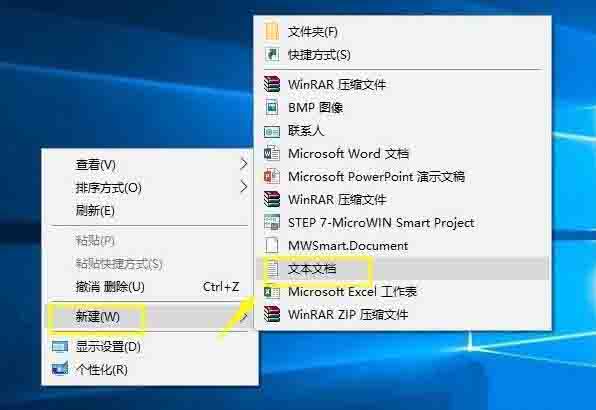
1、首先在桌面新建一个文本文件;如图所示:
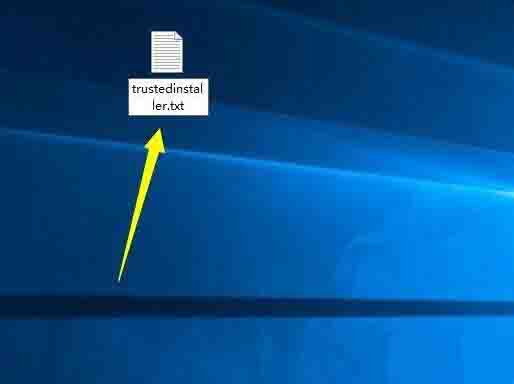
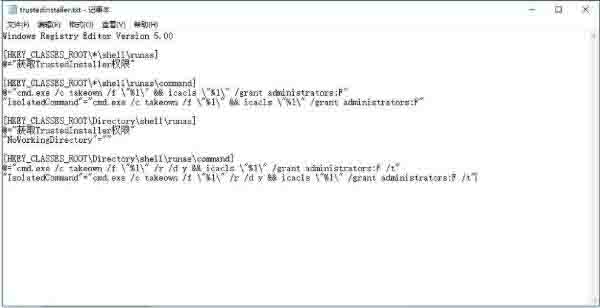
2、将文件重命名为trustedinstaller.txt,将以下代码复制粘贴到记事本里;
Windows Registry Editor Version 5.00
[HKEY_CLASSES_ROOT*shellrunas]
@=“获取TrustedInstaller权限”
[HKEY_CLASSES_ROOT*shellrunascommand]
@=“cmd.exe /c takeown /f ”%1“ && icacls ”%1“ /grant administrators:F”
“IsolatedCommand”=“cmd.exe /c takeown /f ”%1“ && icacls ”%1“ /grant administrators:F”
[HKEY_CLASSES_ROOTDirectoryshellrunas]
@=“获取TrustedInstaller权限”
“NoWorkingDirectory”=“”[HKEY_CLASSES_ROOTDirectoryshellrunascommand]
@=“cmd.exe /c takeown /f ”%1“ /r /d y && icacls ”%1“ /grant administrators:F /t”
“IsolatedCommand”=“cmd.exe /c takeown /f ”%1“ /r /d y && icacls ”%1“ /grant administrators:F /t”如图所示:
3、将文件的扩展名修改为reg;如图所示:
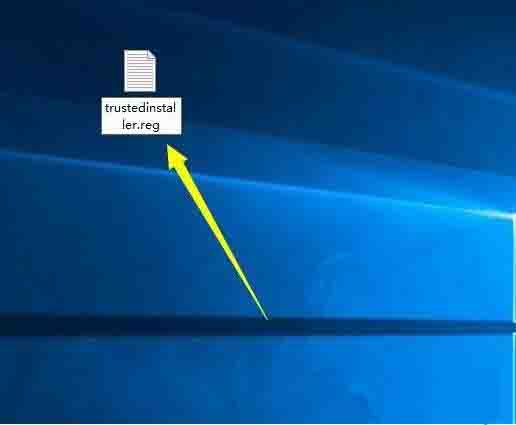
4、提示修改后的问题,不用管,直接点确定;如图所示:
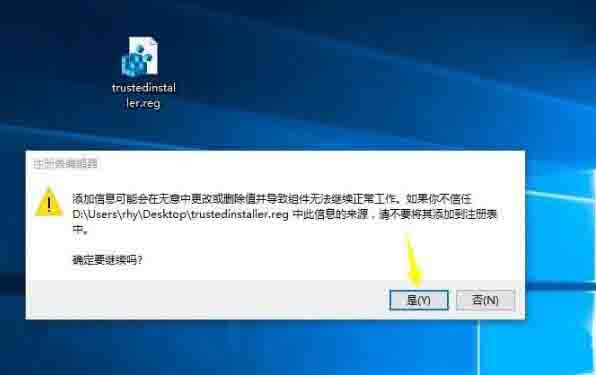
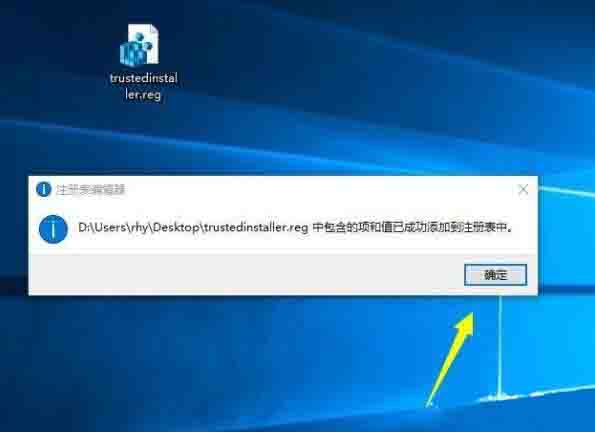
5、双击trustedinstaller.reg,提示注册表信息添加成功。如图所示:
看了上面的win10系统trustedinstaller权限获取方法后,是不是觉得操作起来更得心应手了呢?