




oppofindx3pro怎样调整字体?下面是小编介绍oppofindx3pro调整字体的方法,有需要的小伙伴一起来下文看看吧,希望可以帮助到大家!
oppofindx3pro怎样调整字体?oppofindx3pro调整字体的方法
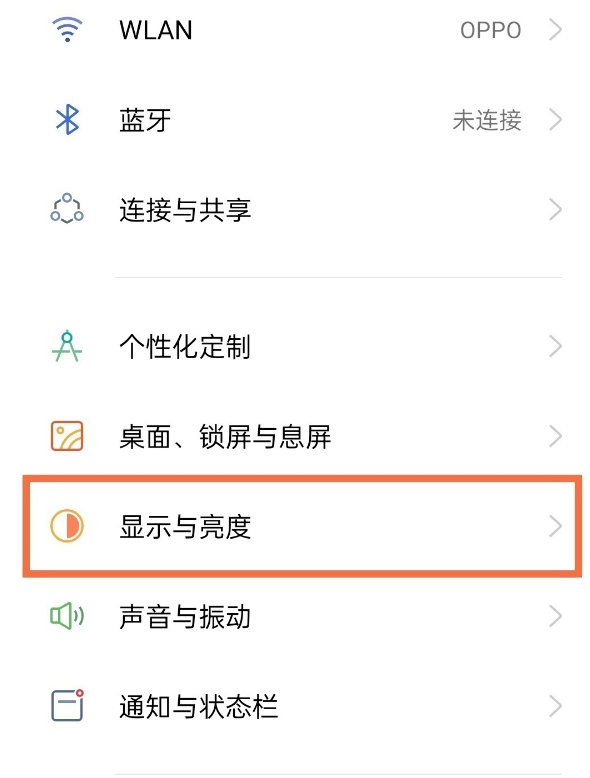
1、在手机设置菜单中点击【显示与亮度】。
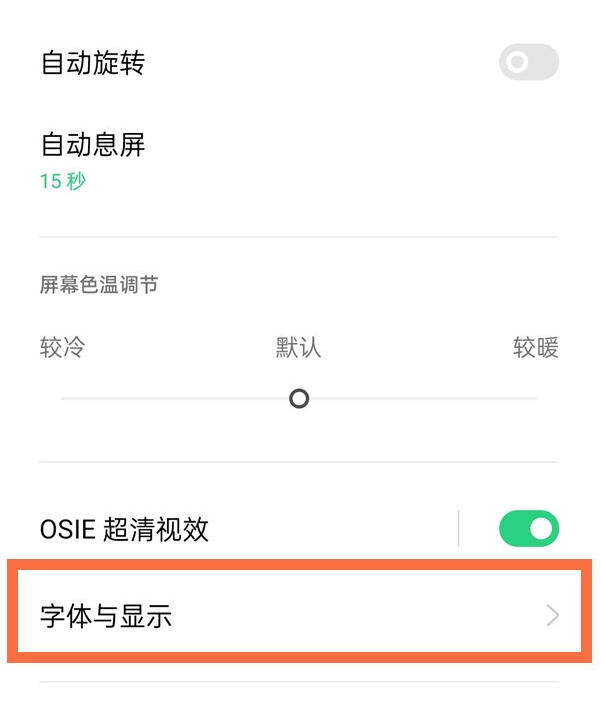
2、点击【字体与显示】。
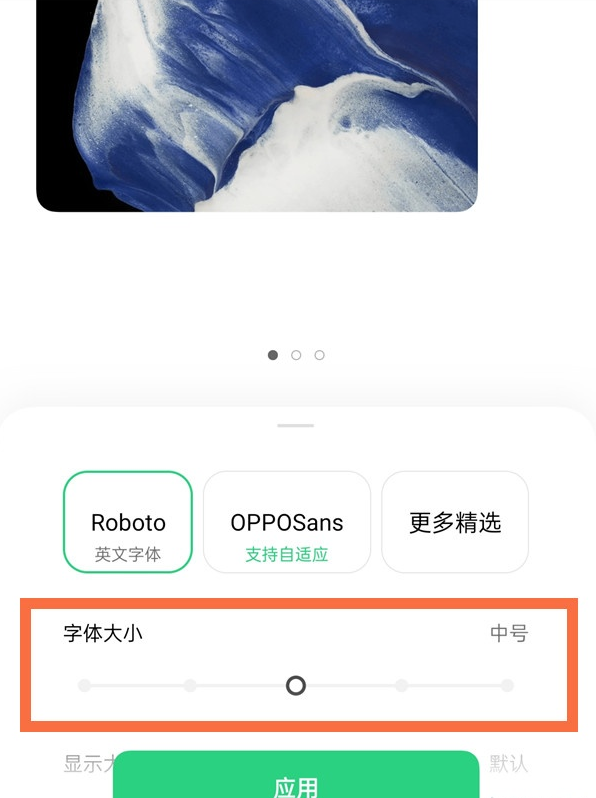
3、滑动字体大小的滑块即可。往右滑动是调大字体,往左滑动是调小字体。
以上就是给大家分享oppofindx3pro调整字体的方法,更多精彩教程尽在下载之家!
2021-04-20 16:41:52来源:下载之家
oppofindx3pro怎样调整字体?下面是小编介绍oppofindx3pro调整字体的方法,有需要的小伙伴一起来下文看看吧,希望可以帮助到大家!
oppofindx3pro怎样调整字体?oppofindx3pro调整字体的方法
1、在手机设置菜单中点击【显示与亮度】。
2、点击【字体与显示】。
3、滑动字体大小的滑块即可。往右滑动是调大字体,往左滑动是调小字体。
以上就是给大家分享oppofindx3pro调整字体的方法,更多精彩教程尽在下载之家!